September 19, 2026
Where your records platform vendor's responsibility ends and your IT provider's begins.
Your records platform vendor supports the software. They do not support the environment it runs in. That gap is where most of your practice's day to day problems live: clinicians who cannot sign in, scanning that stops reaching the client chart, a workstation that crawls at 8 a.m., a new hire whose laptop is not ready on day one. Big U Computers has supported Credible for 10 years, including implementation, ongoing maintenance, and new feature rollouts. We also support practices running TherapyNotes, SimplePractice, and Valant. Between January 1 and September 18, 2026, we resolved 96.6 percent of 2,375 support tickets remotely.
Here is exactly where the line falls, what tends to break, and how to tell whether an IT provider has actually worked in behavioral health or is just willing to try.
What Your Records Platform Vendor Covers, and What They Do Not
When a clinician cannot finish a note, the first question is who to call. This is the answer.
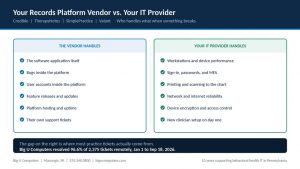
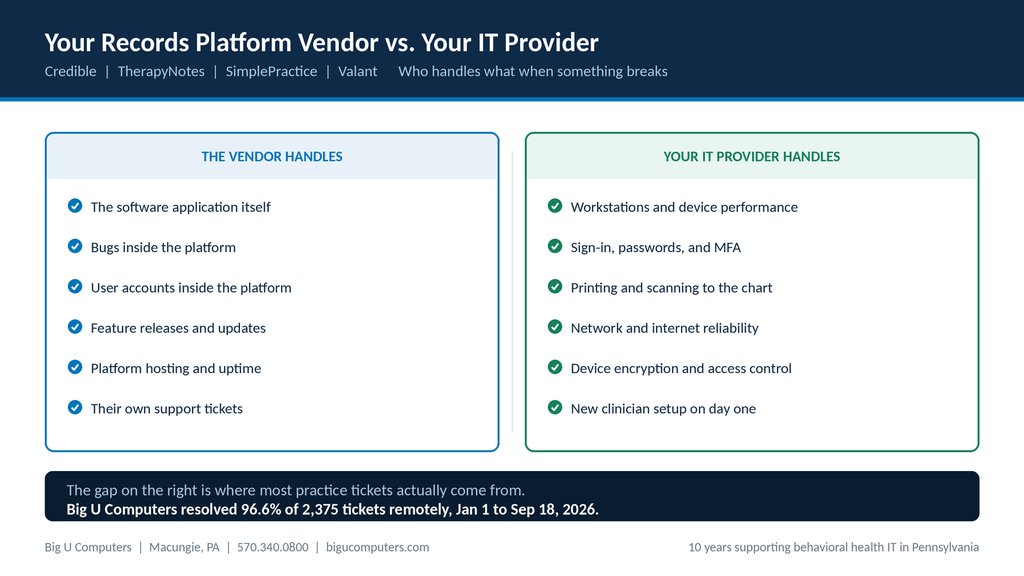
| Your records platform vendor covers | Your IT provider covers |
|---|---|
| The software application itself | Workstations, laptops, and device performance |
| Bugs and defects inside the platform | Sign-in problems, passwords, and multi-factor authentication |
| User accounts inside the platform | Printing and scanning into the client chart |
| Feature releases and product updates | Network, internet, and Wi-Fi reliability |
| Platform hosting and uptime | Device encryption and access control |
| Their own support tickets | New clinician setup on day one |
Read the right hand column again. Almost none of it is the software. It is the computers, the sign-in, the printers, the network, and the people. That is why calling your records platform vendor about a printing problem usually ends with them telling you, correctly, that it is not their issue.
The Six Most Common Platform Problems That Are Not the Vendor's Fault
These are the calls that come in most often, what actually causes them, and what prevents them.
- A clinician cannot sign in. Usually a password change, a multi-factor prompt going to a phone they no longer carry, or an account that was never fully set up. Prevention is a clean account process when someone joins, changes roles, or leaves.
- Scanning or printing to the client chart stops working. A printer driver updated, a scan folder moved, or a device dropped off the network. Prevention is managing those devices rather than leaving them to sort themselves out.
- The platform is slow first thing in the morning. Usually not the platform. Usually every workstation in the building downloading updates at the same time everyone logs in. Prevention is scheduling updates outside clinical hours.
- A browser update changes how a form behaves. Browsers update themselves constantly, and records platforms are browser based. Prevention is knowing which browser version your platform is tested against and controlling when workstations move.
- A new clinician's first day is spent waiting on IT. Their account, device, printer access, and platform permissions were requested the morning they started. Prevention is a standing onboarding checklist triggered when the offer is accepted, not on day one.
- Documents get saved to the desktop instead of into the chart. This is a workflow problem and a HIPAA problem at the same time. Client information sitting on a local drive is client information that is not backed up, not access controlled, and not going with the chart. Prevention is configuring devices so the easy path is the correct path.
What Happens When the Vendor Pushes a New Feature
Records platform vendors release on their own schedule. Your practice finds out either from your IT provider beforehand or from a clinician stuck mid-note afterward. This is our process.
Step 1. We monitor the vendor's release channel deliberately
Release notes and admin notices get reviewed as they come out. This is a standing habit, not something we do after a practice complains.
Step 2. We flag what actually touches your workflow
Most releases change nothing for a given practice. We pick out the handful of items that affect how your staff document, such as form changes, permission changes, or anything that alters the charting workflow.
Step 3. We know your configuration well enough to predict what a change will touch
Here is the honest version. Records platform vendors release straight to production. There is no dress rehearsal and no test environment to catch problems first. What protects a practice is not a lab, it is an IT provider who has been inside that environment long enough to know which forms, permissions, and workflows a change is going to land on. Ten years in one behavioral health environment is how you get that.
Step 4. We verify the pieces around the platform after a release
Printing and scanning to the chart, browser behavior, and any integrations. Most rollout problems are not in the software itself. They are in what surrounds it.
Step 5. We tell your administrator what changed and what it means, in plain English
Not the vendor's release notes forwarded along. Your administrator decides how to communicate it to clinical staff, because they know their team. Our job is making sure they understand it first.
Step 6. We know when a change is landing and we watch for it
The day a release goes live is the day the questions come in. We are expecting them.
How to Tell If an IT Provider Actually Knows Behavioral Health
Most IT companies will tell you they support healthcare. Five questions will tell you how deep that goes. Ask them before you sign anything.
- Have you implemented a behavioral health records platform, or only supported the computers around one? These are very different levels of experience.
- Do you know what 42 CFR Part 2 requires beyond HIPAA? Any practice touching substance use disorder records is subject to rules stricter than HIPAA alone.
- What happens when our records vendor pushes an update? Listen for a process. If the answer is that they would handle it if we called them, that is reactive.
- Will you sign a Business Associate Agreement, and how quickly? Hesitation here is the answer.
- Have you supported a practice with evening appointment hours? If your last clinician finishes at 8 p.m., business hours support does not cover you.
What Support Looks Like Day to Day
Specifics, not adjectives.
- One hour response on critical issues.
- After hours remote support for practices running evening appointments.
- 24/7/365 network and security monitoring.
- 96.6 percent of 2,375 tickets resolved remotely between January 1 and September 18, 2026, across 13 client organizations.
That last number matters more than it sounds. Remote resolution is not about avoiding a drive. It is about a clinician getting fixed while they are still on the phone rather than waiting until Thursday when someone can come out. When a problem does need hands on a machine, we come. It is just rarely the fastest way to solve it.
Ten Years Inside a Behavioral Health Environment
We have supported CMSU Behavioral Health and Developmental Services for ten years. They deliver the full spectrum of mental health and drug and alcohol services, which means their technology carries requirements most small businesses never encounter.
We implemented their Credible environment and we still maintain it, including platform support and new feature rollouts.
The distinction worth understanding: plenty of IT companies have supported a practice that happens to use a records platform. Very few have implemented one and then lived with it for a decade. When we tell you a change is going to affect your intake form, it is because we have watched it happen before.
About Big U Computers
Big U Computers is a family owned IT provider in Macungie, Pennsylvania, serving practices and small businesses from Allentown and Bethlehem through Danville, Bloomsburg, and Lewisburg.
- Implemented and currently maintains a Credible records platform environment
- Ten years supporting behavioral health IT in Pennsylvania
- We sign a Business Associate Agreement with every covered entity client
- One hour response on critical issues
- After hours remote support for practices running evening appointments
- 24/7/365 network and security monitoring
- We work to HIPAA and NIST frameworks and are knowledgeable on PCI
- Full written documentation of your network, licenses, and passwords, in plain English
Wondering who is supposed to be covering the gap at your practice? Call 570.340.0800 or book a free consult. We will walk through it with you, no charge.
Big U Computers | P.O. Box 523, Macungie, PA 18062 | 570.340.0800 | bigucomputers.com