September 15, 2026
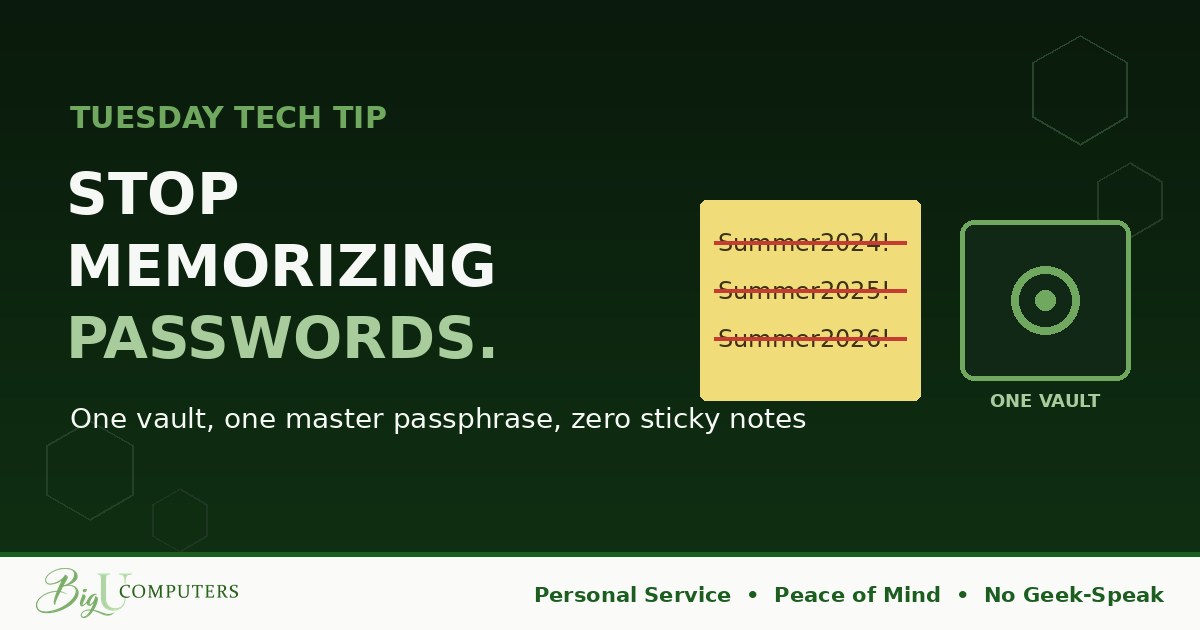
Somewhere on your desk, or in a spreadsheet, or in a note on your phone, is a list of passwords. And if you're like most people, a lot of them are the same password wearing different hats: Summer2024!, Summer2025!, Summer2026!.
Nobody does this because they're careless. They do it because remembering 80 unique passwords is impossible for a human brain. That's the good news: the fix isn't more memory. It's less.
Why One Reused Password Is a Company Problem
Every week, some website you signed up for years ago gets breached. A recipe site, a shoe store, a forum. Your email and password end up in a giant list that criminals buy and sell.
Then comes the part nobody thinks about: automated tools take that list and try every email-and-password pair on hundreds of other sites. Work email. Banking. Payroll. If the shoe store password matches your work password, the shoe store breach just became your employer's breach. This is called credential stuffing, and it's one of the most common ways small businesses get compromised, precisely because it requires zero skill.
Move One: Get a Password Manager
A password manager is a locked vault. It creates a long, random, unique password for every site (something like x7$Lq!m2Rv9#pKz) and fills it in automatically when you log in. You never type it, never see it, never remember it.
You remember exactly one thing: the master passphrase that opens the vault. Everything else is handled.
Your options, roughly: the one built into your browser or phone (free, decent, fine for personal use), or a dedicated app that syncs across all your devices and, for businesses, allows secure sharing and admin control (a few dollars per person per month). If your employer provides one, use that. If not, the browser's built-in manager is a massive upgrade over reuse.
Move Two: Build a Passphrase You'll Never Forget
Your one master password should be a passphrase, not a password. Forget the old advice about symbols and capital letters jammed into a short word. Length beats complexity.
Pick four or five random, unrelated words and string them together: purple-tractor-eats-lunch-early. It's 30 characters long, it would take computers longer than the age of the universe to guess, and you'll remember it after typing it twice because it paints a picture.
A few rules: don't use song lyrics or famous quotes (those are in the guessing lists), don't use anything about you (kids, pets, teams), and never reuse it anywhere else. That one phrase is the key to the vault. Treat it that way.
The Three Accounts to Fix First
- Your email. It's the master key to everything else, because every "forgot password" link lands there.
- Anything with money: banking, payroll, payment apps.
- Your work login. Whatever gets you into company systems.
Give those three unique, vault-generated passwords today. Then, over the next couple of weeks, let the manager quietly replace the rest as you log in to things.
What This Looks Like a Month From Now
No sticky notes. No "what's the login for that again?" messages. No forgot-password loops. You click the field, it fills, you're in. And the next time some website you forgot you joined gets breached, it affects exactly one account, which the manager will help you change in 30 seconds.
That's Peace of Mind you can feel every day, not just during a crisis.
Owners: The Business Version
A company password manager solves the problems you already have: shared logins living in a spreadsheet, the vendor portal only one person can access, and the ex-employee who still knows the Wi-Fi and the bank login. With a business vault, shared credentials are shared securely, nobody sees more than they need, and when someone leaves, their access ends with one click. We Won't Hold You Hostage applies to your passwords too: you should own and control every one of them.
Want to see how it works in practice, and what a rollout looks like for a team your size? Book 20 minutes with me here. No Geek-Speak, just a plan.
Big U Computers, LLC. Personal Service, Peace of Mind, No Geek-Speak, and We Won't Hold You Hostage. That's the promise.