August 11, 2026
Most cyberattacks on small businesses don't start with genius-level hacking. They start with one person clicking one link in one email that looked normal.
Which means one of the most powerful security tools in your entire company is free, already installed, and sitting in every employee's hand right now. It's the humble hover.
The Skill Nobody Taught You
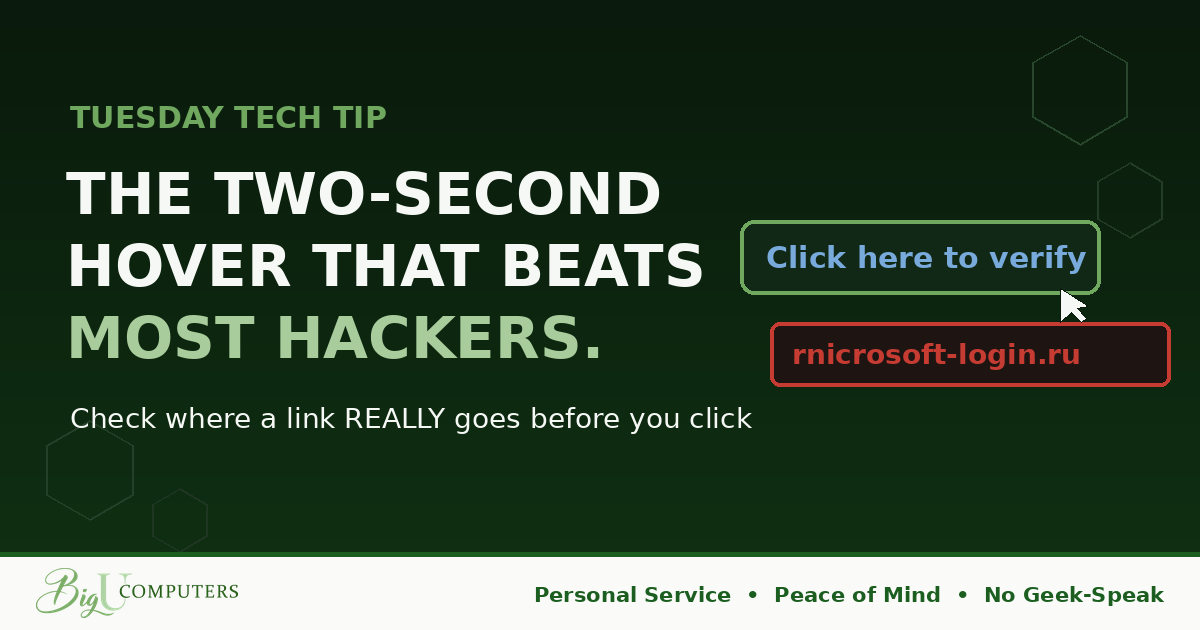
On a computer: move your mouse pointer over a link WITHOUT clicking, then look at the bottom corner of your window or the small popup that appears. That's the link's real destination.
On a phone: press and hold the link. A preview of the true address pops up. Then let go without tapping.
That's the whole skill. The text of a link is a costume. "Click here to track your package" can be dressed up to go anywhere. The hover pulls the costume off.
What to Look For When the Truth Appears
- Lookalike letters. Scammers register rnicrosoft.com, where an r and an n sit together to impersonate an m. Or arnazon.com. Or paypa1.com with a number one. At reading speed, your brain autocorrects these into the real brand.
- The real name in the wrong place. In microsoft.com/security, you're at Microsoft. In microsoft.security-check.ru, you are NOT at Microsoft. The part that matters is what comes right before the first single slash. Everything earlier can be decoration.
- Total mismatch. The email says it's from your bank, and the link goes somewhere that has nothing to do with your bank. That's not a clue. That's a confession.
- Shortened links. Services like bit.ly are used legitimately all the time, including by us. But in an UNEXPECTED email demanding urgent action, a shortened link deserves extra suspicion, because its whole job is hiding the destination.
The Golden Backup Rule
Sometimes the hover leaves you unsure. Perfect, because there's a move that works every time: don't use the link at all.
If an email says your account is locked, your invoice is overdue, or your password expires today, open a fresh browser window and type the company's address yourself, or use the bookmark you always use. Log in the way you always do. If the alert is real, it will be waiting inside your account. If nothing's there, you just dodged the trap entirely.
Nobody in history has ever been hacked by typing a familiar address into their own browser.
Make It a Reflex, Not a Rule
Rules get forgotten. Reflexes don't. For the next week, hover over every link before you click it, even the safe ones from coworkers. By Friday you won't be able to NOT do it. That's the goal: a two-second habit standing guard on thousands of future clicks.
This is exactly what we mean by No Geek-Speak. Real protection usually isn't complicated. It's a small habit, explained clearly, done every time.
Want your whole team building reflexes like this, with friendly simulated phishing tests that show you exactly who needs practice? Book 20 minutes with me here and I'll walk you through how we train teams without shaming anyone.
Big U Computers, LLC. Personal Service, Peace of Mind, No Geek-Speak, and We Won't Hold You Hostage. That's the promise.