August 18, 2026
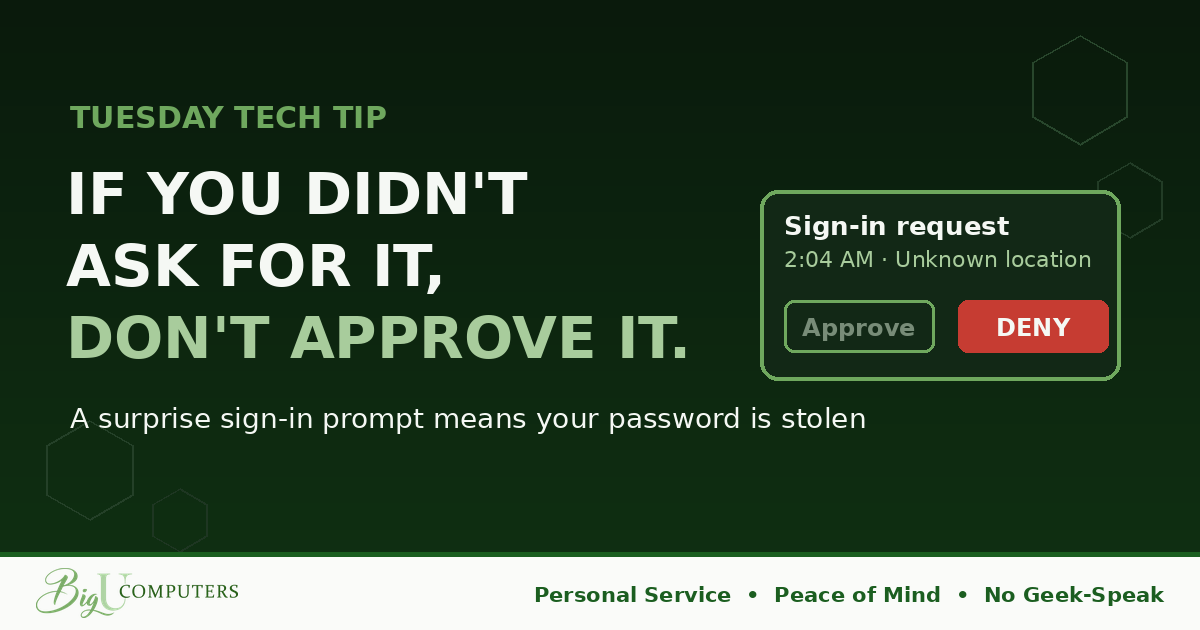
Your phone lights up at 2:04 AM. "Approve sign-in?" You didn't touch your computer. You were asleep. You tap Deny and roll over.
Ninety seconds later: "Approve sign-in?" Deny. Again. Deny. Again. And again. By the sixth prompt, half-asleep and annoyed, a lot of people tap Approve just to make it stop.
That tap hands a criminal the keys to your work account. This attack has a name, push bombing, and it works because nobody ever explained to employees what that prompt actually means.
What the Prompt Is Really Telling You
Those approval prompts exist as a second lock on your account. Your password is the first lock. The prompt is the second.
So follow the logic: if a prompt appears when you didn't just try to log in, someone else DID. Which means they already have your password, they've already opened the first lock, and the prompt on your phone is the only thing keeping them out.
Here's the reframe that changes everything: a surprise prompt is actually good news. Your security just caught a break-in as it was happening, and it's asking you what to do. The system works. Your only job is to not open the door.
The Three Rules
- Didn't request it? Don't approve it. No exceptions, no matter what device it claims to be, no matter what time it is.
- Deny every single time, even the tenth time. Persistence is their whole strategy. Boredom is not a reason to open the door. If prompts keep coming, silence your phone if you must, but never tap Approve.
- Never read a code to anyone, on any call, for any reason. Which brings us to part two.
The Fake Help Desk Call
Push bombing has a partner scam. Your phone rings. "Hi, this is IT. We're seeing a sync issue with your account. I just sent a verification code to your phone. Can you read it to me so I can fix it?"
Sounds helpful. Sounds routine. It's a criminal who already has your password, and the code you'd read aloud is the second lock. You'd be opening the door yourself.
Here's the fact that makes you immune: no legitimate IT person, ours included, will EVER ask you to read a code from your screen or approve a prompt they triggered. Real IT doesn't need your codes. Anyone who asks for one has just identified themselves as an impostor, and you can hang up without a shred of guilt.
After You Deny
Denying the prompt wins the moment, but remember what the prompt told you: your password is already in someone's hands. Two follow-ups, same day: tell whoever handles your IT what happened, and change that password. Five minutes, done properly, closes the incident for good.
Owners: One Setting Makes This Attack Nearly Impossible
Modern sign-in systems offer a feature called number matching: instead of tapping Approve, the person logging in must type a number displayed on the login screen. A criminal can spam prompts all night, but they can't make you type a number you can't see. Most small businesses have never turned it on, usually because nobody told them it exists.
Want to know if your business has it enabled? Book 20 minutes with me here and I'll check your setup and explain it all in plain English. Peace of Mind should not require a password to pronounce.
Big U Computers, LLC. Personal Service, Peace of Mind, No Geek-Speak, and We Won't Hold You Hostage. That's the promise.