September 1, 2026
You're looking something up online. You click a link, maybe a recipe, maybe a news story. And then the whole screen changes.
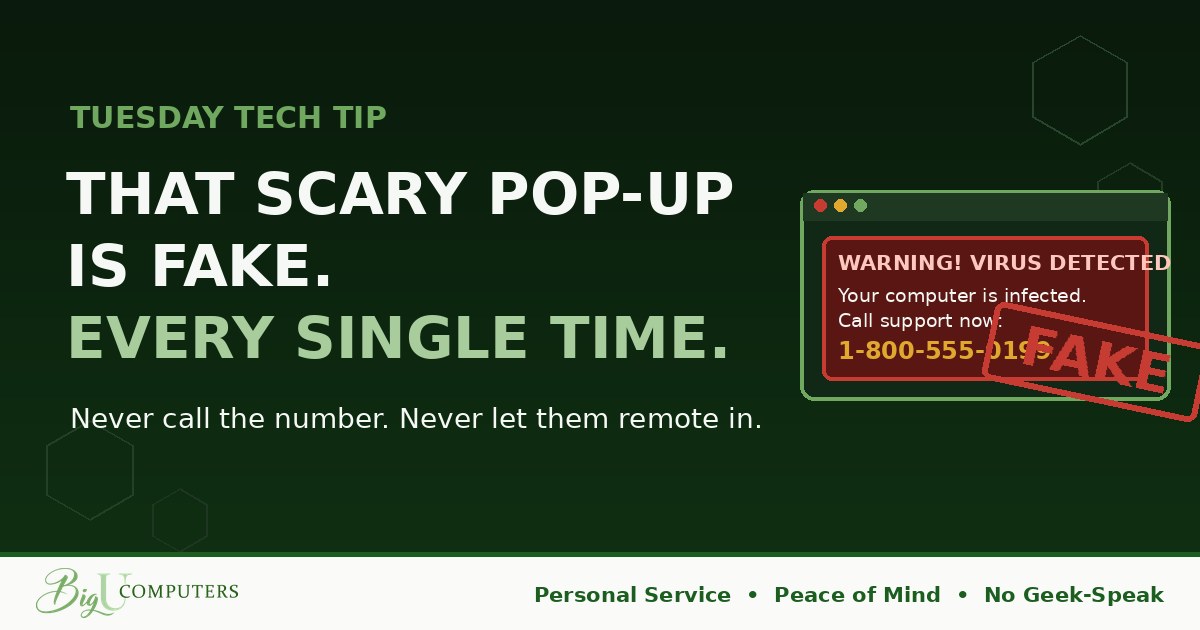
It turns red. A siren blares through your speakers. A robotic voice repeats "Your computer has been infected." A box says Windows Defender has detected a trojan, that your bank details and photos are at risk, and that you must NOT shut down. Instead, call Microsoft Support at the number displayed, right now.
Your heart rate jumps. That's the point. Here's the truth that takes all the power out of it: you are looking at a webpage. Not a warning from your computer. A webpage, dressed up as one, made by a criminal.
How You Know It's Fake (It's Always Fake)
- Real security software never shows a phone number. Not Microsoft, not Apple, not any antivirus on earth. If there's a number to call, it's a scam. That single rule settles it.
- Real alerts don't take over your browser. Genuine protection runs quietly and, if it ever does flag something, it does so in a small, calm notification. It never traps you on a page, plays sirens, or uses countdown timers.
- It appeared while you were browsing. That's the tell. A webpage can only pretend to be your computer. It can't actually be your computer.
What Happens If You Call
The person who answers will sound professional, patient, and helpful. They'll ask you to download a small program so they can "remote in" and take a look. Once connected, they'll open some technical-looking screens, point at normal system activity, and declare it proof of infection.
Then comes the bill: a few hundred dollars for a "cleanup" or a yearly "protection plan." Sometimes that's the end of it. Sometimes they leave real malware behind for later. And sometimes they run the nastiest version of all:
The refund trick. Weeks later, someone calls to say the company is closing and you're owed a refund. They ask you to log in to your bank so they can deposit it. While connected, they fake a screen showing they "accidentally" refunded too much, and beg you to wire back the difference. Victims lose thousands this way, and the "overpayment" was never real.
The Escape Plan
First, the three rules: don't call, don't click anything on the page, and never let anyone remote in to your computer. Then get out:
- Windows: press Ctrl + Alt + Delete, open Task Manager, select your browser, and click End Task.
- Mac: press Command + Option + Escape, select your browser, and click Force Quit.
- Frozen solid? Hold the power button until the computer turns off. Despite what the screen said, this will not hurt anything. That warning was there to keep you trapped.
- When you reopen your browser, do NOT click "Restore pages." That just brings the trap back.
Then tell whoever handles your IT, even if nothing seems wrong. It takes one message and it lets them confirm your computer is clean.
If You Already Called
It happens to smart people every day, because these scams are built by professionals. Hang up. Tell IT immediately, and tell them if a program was installed or if anyone connected remotely, because that computer needs to be checked before it's used again. If a card number, bank login, or gift card went out, call your bank right away. Every hour matters more than every excuse. Nobody worth working for will hold a fast, honest report against you.
Owners: What Real Protection Looks Like
The quiet part is the whole point. Proper endpoint protection runs in the background, blocks known scam pages before they load, and if it ever finds something, it alerts the people who fix it, not a phone number for your employee to call. That's Peace of Mind: not a louder alarm, but a system where the alarm never has to reach your team in the first place.
Not sure what's actually protecting your computers today, or whether it would stop a page like this? Book 20 minutes with me here and I'll tell you in plain English. No Geek-Speak, no pressure.
Big U Computers, LLC. Personal Service, Peace of Mind, No Geek-Speak, and We Won't Hold You Hostage. That's the promise.